Crisis Response Effectiveness
You issued a statement, an apology, or an executive interview. The harder question is whether it actually landed. This template measures whether your crisis response shifted coverage, or whether the story simply moved on by itself.
What it does
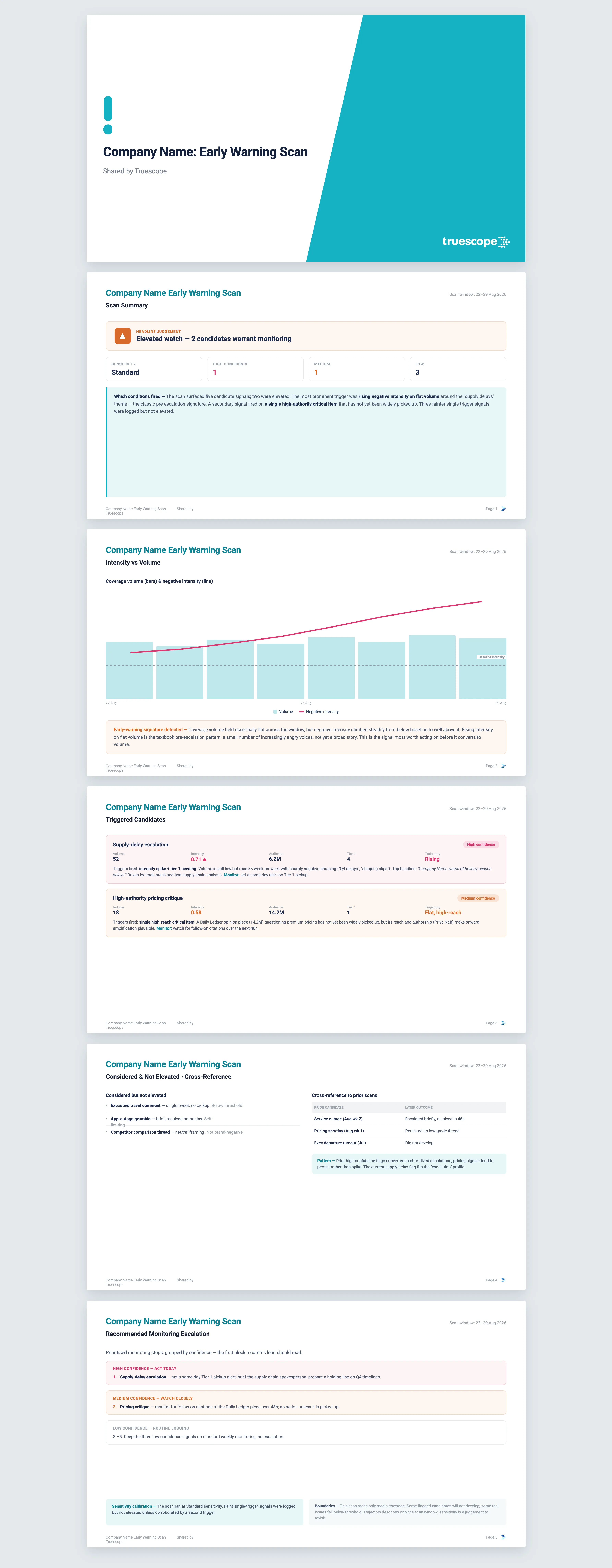
After a response goes out, it is tempting to read the calmer headlines a few days later as proof it worked. Often that calm is just the news cycle decaying on its own. The only way to tell the difference is to compare three windows: the crisis at its peak before you responded, the 24 to 72 hours straight after, and the days that followed. Set side by side, those windows separate a response that genuinely changed the conversation from one that was merely followed by natural fade. The template also checks something most reviews skip: whether the specific messages you intended to convey actually appeared in coverage, rather than just whether you got covered at all.
The questions it answers
- Did the response land in volume and reach, or did most of the coverage ignore it?
- Did our specific intended messages appear in coverage, or did journalists cover the response while missing the point?
- Did sentiment and the intensity of negative coverage actually shift after we responded?
- What counter-narrative emerged, and did sceptical coverage reach major outlets?
- What is the dominant narrative now, compared with what it was before we responded?
What's in the report
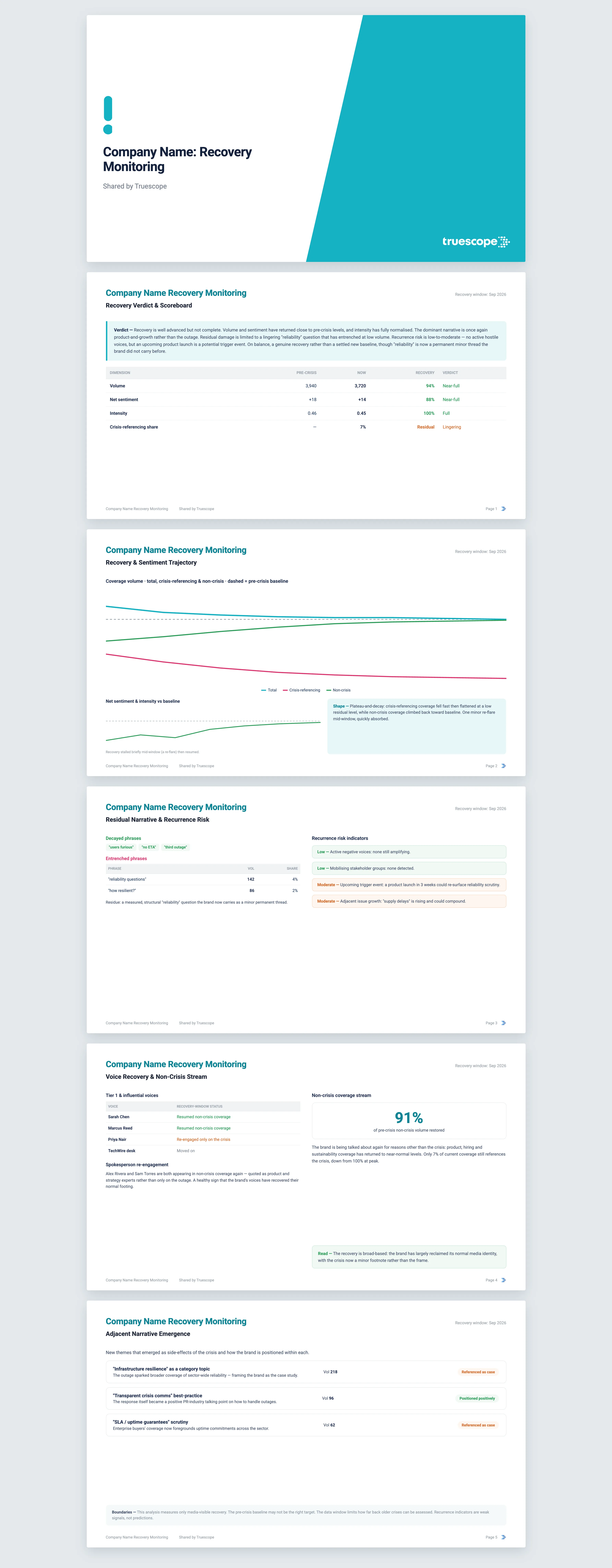
The report opens with a verdict: a frank editorial read on whether the response landed in volume, whether the messages landed, whether sentiment shifted, what pushback emerged, and what the story is about now. Everything below substantiates it.
- A three-window scoreboard comparing volume, audience, sentiment, intensity, social engagement, and top-tier coverage across the pre-response, response, and post-response windows.
- A response-arc chart with the response moment marked as a clear reference line, so the shape itself, decay or re-spike, tells the story.
- A message-landing table showing how often each of your intended messages actually appeared in coverage.
- A breakdown of where the response was picked up by outlet tier, and how journalists framed it: substantive engagement, partial measure, deflection, or non-answer.
- A counter-response section capturing the sceptical coverage, its key arguments, and the voices behind it, with top-tier scepticism flagged explicitly.
- A view of which pre-response negative themes have receded and which have persisted, plus any new voices the response drew into the conversation.
Findings are benchmarked across the three windows and cited back to the source coverage throughout.
Who it's for
This is for the people who have to answer "did it work?" once the response is out: in-house communications and corporate affairs leaders, crisis and issues managers, and agency teams reporting back to a client. It is also built for the moment after the moment, when a comms director needs a defensible, evidence-based read for the executive team or the board rather than a gut feeling.
Why Truescope Analyst
The manual version means an analyst rebuilding three time windows by hand, re-reading hundreds of articles, and trying to hold the before-and-after in their head. It is slow, and it tends to flatter the response, because nobody wants to tell the executive their statement missed. A general AI tool cannot do it at all: it has no access to your crisis coverage, cannot count how often your exact intended messages appeared across outlets, and cannot compare reach and sentiment across windows it has never seen. Analyst works across your full media dataset, holds the three-window discipline consistently, separates volume success from message success from sentiment success rather than blurring them into one verdict, and cites every claim back to coverage. It runs in minutes and is included in your subscription, so the same rigorous read is available to anyone who needs it, not just the analyst who built the last one.
Frequently asked questions
What time periods can it compare across?
It works across up to the last 13 months of coverage in your Truescope inbox, or the last 90 days for global data not already matched to your workspace. Within that, you define the three windows: the pre-response baseline, the response window of 24, 48, or 72 hours, and the post-response tail.
Why do I need to give it specific intended messages?
Because message-landing analysis needs a defined target. Vague aims like "we take this seriously" produce loose, unreliable detection. Specific phrasing such as "we will replace affected units within 90 days" lets the template count precisely how often your message actually reached coverage.
Can it prove the response caused the change?
No, and it says so plainly. Other developments during the response window may explain part of any shift, and the analysis cannot see private stakeholder or regulator reactions. It measures initial reception in coverage, which is honest evidence, not final proof of cause.