

November 10, 2026
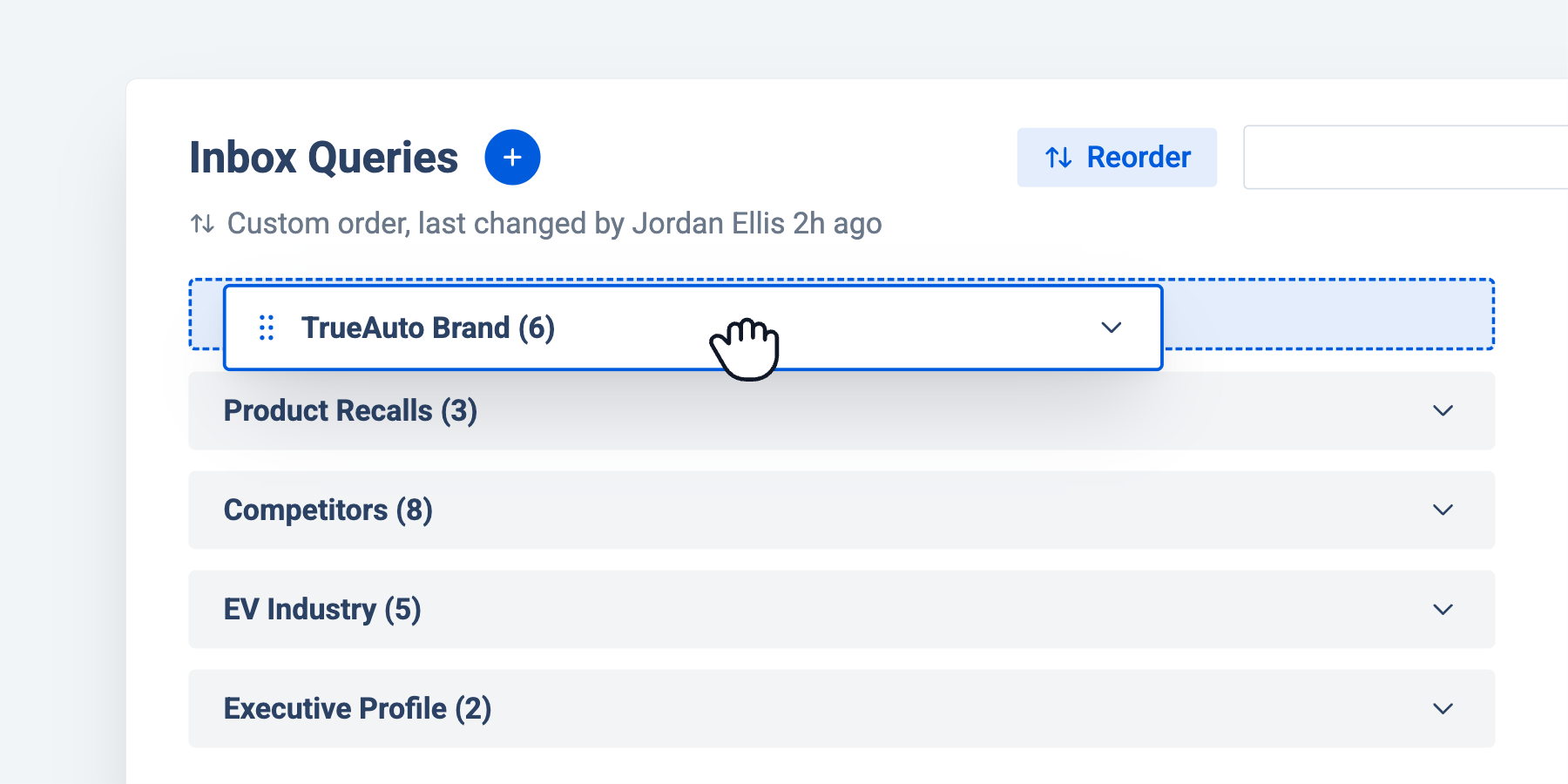
As your monitoring grows, so does your list of queries. Until now, the ones that mattered most could end up buried in the list, so you had to scroll to find the coverage you check every day.
What’s new
- Drag and drop queries: Under Search in the menu, click and drag any query into your preferred order. Put your brand and highest-priority issues at the top, and move background monitoring further down.
- Reorder query groups too: Query groups can be dragged into place the same way, so whole sets of related searches sit where you want them.
- One order for the whole workspace: Changes apply to everyone in the workspace, so your whole team sees the same priorities in the same place. It’s worth agreeing on the order as a team before you rearrange.
Your most important coverage is now the first thing you see, every time you log in.
See how you can get more signals and insights from your media intelligence platform
See how you can get more signals and insights from your media intelligence platform


